September 2026
September brings plenty of news to Suprema Docs. In line with BioStar X version 1.0.3 and BioStar Air version 2.13, we've added and updated a range of user guides covering batch control in monitoring, ID scanning, audit trails, zone and presence management, and SSO & SCIM integration. We've also published release notes for BioStation 3, X-Station 2, and Device Manager.
Docs
-
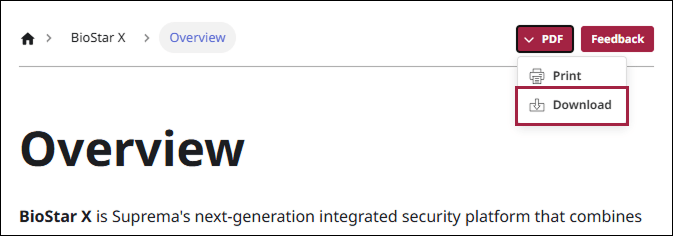
You can now download the product manual PDF directly from each individual document page.
-
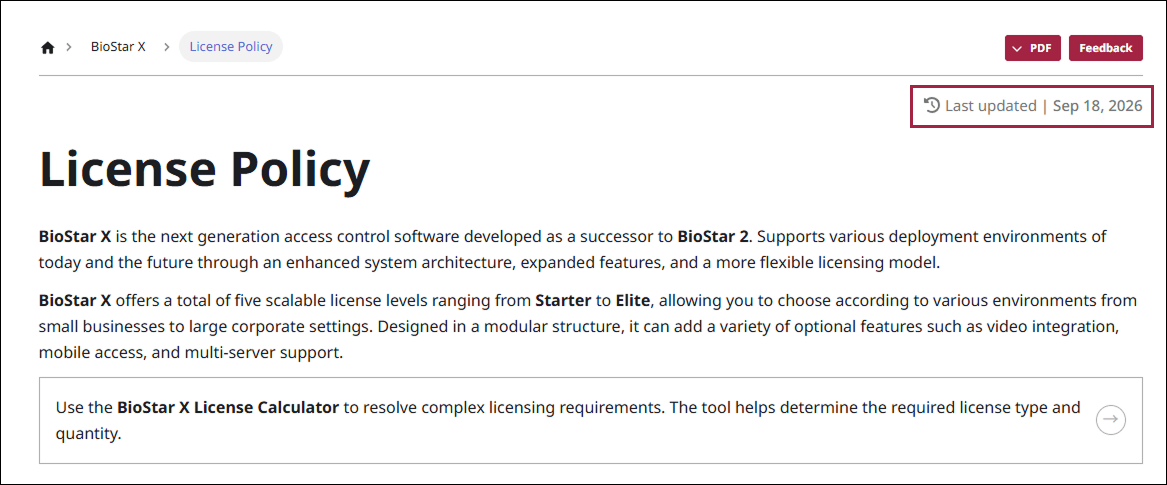
Each individual document page now shows the Last updated of that document.
Platform
BioStar X
- Version 1.0.3: Added release notes for version 1.0.3
New Documents
-
Bulk Control: Added guidance on selecting and controlling multiple doors, elevators, and advanced access controls at once from Monitoring
-
Set Up ID Scan, Register and Edit Users by Scanning an ID: Added guidance on automatically entering user information by scanning an ID
-
Manage Long-Term Inactive Users: Added guidance on setting automatic deactivation criteria and advance notification emails for long-term inactive users
-
Configure Door Control through Authentication: Added guidance on manually opening a door or switching it to released status through user authentication
-
Audit Trail
-
Uninstall BioStar X Server and Restoring the Security Certificate: Added guidance on removing the server and restoring a backed-up security certificate
Document Updates
-
Entering Basic User Information: Updated the rules for allowing special characters when entering user IDs and names
-
Monitoring
-
Checking the Status: Added guidance on checking alarms in the preview panel and viewing items that require attention in one place
-
Monitoring Devices: Added guidance on unlocking devices, releasing authentication failure locks, and controlling multiple devices at once
-
-
Using Device Management Functions: Added guidance on exporting and importing device settings
-
Adding Devices: Added guidance on registering waiting devices
-
Setting the Authentication: Added face authentication setting options
-
-
Master Admin: Added a note that the master administrator feature is available only on CE products, along with guidance on two-factor authentication for global products
-
Playing a Video on the idle Screen: Added guidance on the video playback feature on the standby screen
-
-
Managing Operator Permissions: Updated guidance on configuring granular, menu-level permissions for operator roles
-
Roll Call: Added the ability to exclude people who are not on site when performing a roll call
-
Using Quick Actions: Added guidance on adding and managing quick action buttons in the header
-
Integrating with VMS: Updated the VMS certificate installation procedure and troubleshooting guidance
-
Generating Reports: Added guidance on saving reports when viewing all events and alarm history
-
Strengthening System Security: Updated content related to the secure communication feature with devices
-
BioStar X License: Updated guidance on activating multiple license keys at once
-
Licensing Policy: Updated the revised licensing policy
-
License Calculator: Improved in line with the licensing policy update
BioStar X Mobile
-
Managing Devices: Added a guide on checking device status and releasing authentication failure locks in the mobile app
-
Starting a Roll Call: Added guidance on the ability to exclude people who are not on site when performing a roll call
BioStar Air
-
BioStar Air Release Notes: Added release notes for version 2.13.0
-
Zones and Anti-Passback
-
Zone Management, Managing Zones: Added guidance on the concepts of zones and anti-passback (APB) and how to set up zones
-
Checking APB Violations: Added guidance on viewing the APB violation list and clearing violations
-
-
On-Site Users and Real-Time Presence
-
Checking Presence: Added guidance on checking On-Site and Off-Site users and manually changing presence status
-
Emergency Roll Call: Updated how to conduct an emergency roll call by muster point
-
Configuring Presence and Muster Points at Multi-Building Sites: Added guidance on setting up boundary zones and muster points at sites made up of multiple buildings
-
-
SSO & SCIM
-
Setting SSO & SCIM: Added guidance on login policies
-
Enabling SSO & SCIM: Added guidance on configuring identity provider integration
-
Setting Microsoft Entra ID Integration, Setting Okta Integration: Added guidance on SSO connection and SCIM provisioning for each identity provider
-
-
Managing Registered Doors: Added guidance on batch-assigning access levels to multiple doors
Devices
Device Updates
-
XPass Q2: Added the new XPQ2-DPB model
-
BioEntry W3: Added installation instructions using the tilting bracket
-
-
Authentication: Added a setting for the duplicate face authentication prevention time
-
User: Updated guidance on the special characters allowed in user IDs and names
-
Product Specifications updated
-
-
-
Admin Menu: Added guidance on controlling doors from the device
-
User: Updated guidance on the special characters allowed in user IDs and names
-
-
-
Authentication: Added authentication result display options
-
Settings: Added authentication result settings
-
-
Device Manager: Updated supported new devices and the supported iOS version
Release Notes
-
BioStation 3 Max: Added release notes for version 1.1.0
-
BioStation 3: Added release notes for version 1.5.1
-
X-Station 2: Added release notes for version 1.4.2
-
Device Manager: Added release notes for version 1.2.4
Developer
-
BioStar X API: Released version 1.0.3
-
BioStar Device SDK: Released version 2.9.13
-
Suprema G-SDK: Released version 1.9.2