Admin Menu
Provides guidance on the main menus and features accessible with administrator privileges.
Full menu
-
Press
 and authenticate with the administrator credential.
 -
Select your desired menu.
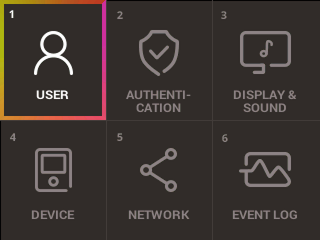
If no administrator is designated, pressing will display the menu screen.
Quick Menu
-
Press and hold
for more than 1 second, then release it. Authenticate using administrator privilege method. -
Select your desired menu.
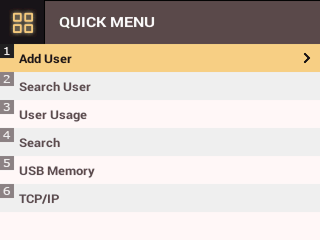
If no administrator is designated, pressing and holding will show the quick menu screen.
Key Menu
Press the OK button to display the key menu screen. You can enter by pressing Key Menu or the directional button corresponding to the desired menu on the home screen.
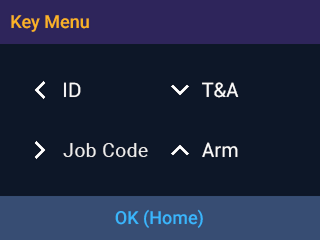
-
ID: ID authentication can be performed as set in ID.
-
T&A: Select a T&A event to authenticate.
-
Job Code: You can select the user's job code.
-
Arm: You can start/stop security.
If in the Arm state, you cannot enter Key Menu. You can disable security by pressing the button on the home screen.