Last updated |
Event Logs
Describes how to view event logs generated by the device.
Search event logs
Set conditions to search logs.
-
Press
 , enter the password, and enter the menu.
 -
Select
 in DASHBOARD. All event logs appear.
 -
Press
 to search a specific log and change the condition.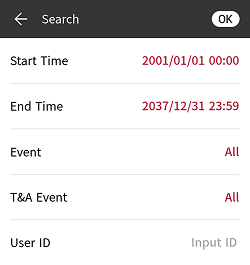
-
Set the search criteria and click OK to display logs that match the criteria.
Delete all logs
You can delete all saved logs.
-
Press
, enter the password, and enter the menu. -
Select
in DASHBOARD. All event logs appear. -
To delete all logs, select
 and click OK. Press Cancel to return to the previous screen.
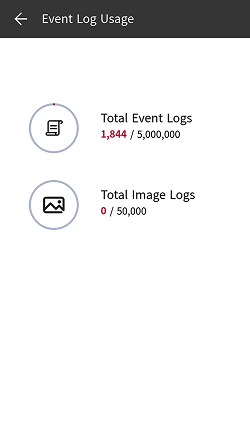
View log usage
You can check the status of log usage.
-
Press
, enter the password, and enter the menu. -
Press
→  in DASHBOARD. Check the device's event log and image log usage.