Initial Setup of the Device
CoreStation Setup Manager provides a web-based service. Therefore, after completing the wiring to build a centralized access control system using CoreStation, you can access CoreStation Setup Manager from any location via a web browser and check the connection status of CoreStation.
If you are using CoreStation Setup Manager for the first time, connect CoreStation and proceed with the initial setup.
-
Complete the cable connection to CoreStation.
-
Please launch the web browser.
InfoUse a web browser version 75 or higher of Chrome.
-
Enter the default IP address
https://169.254.0.1:3001in the address input field of the web browser. -
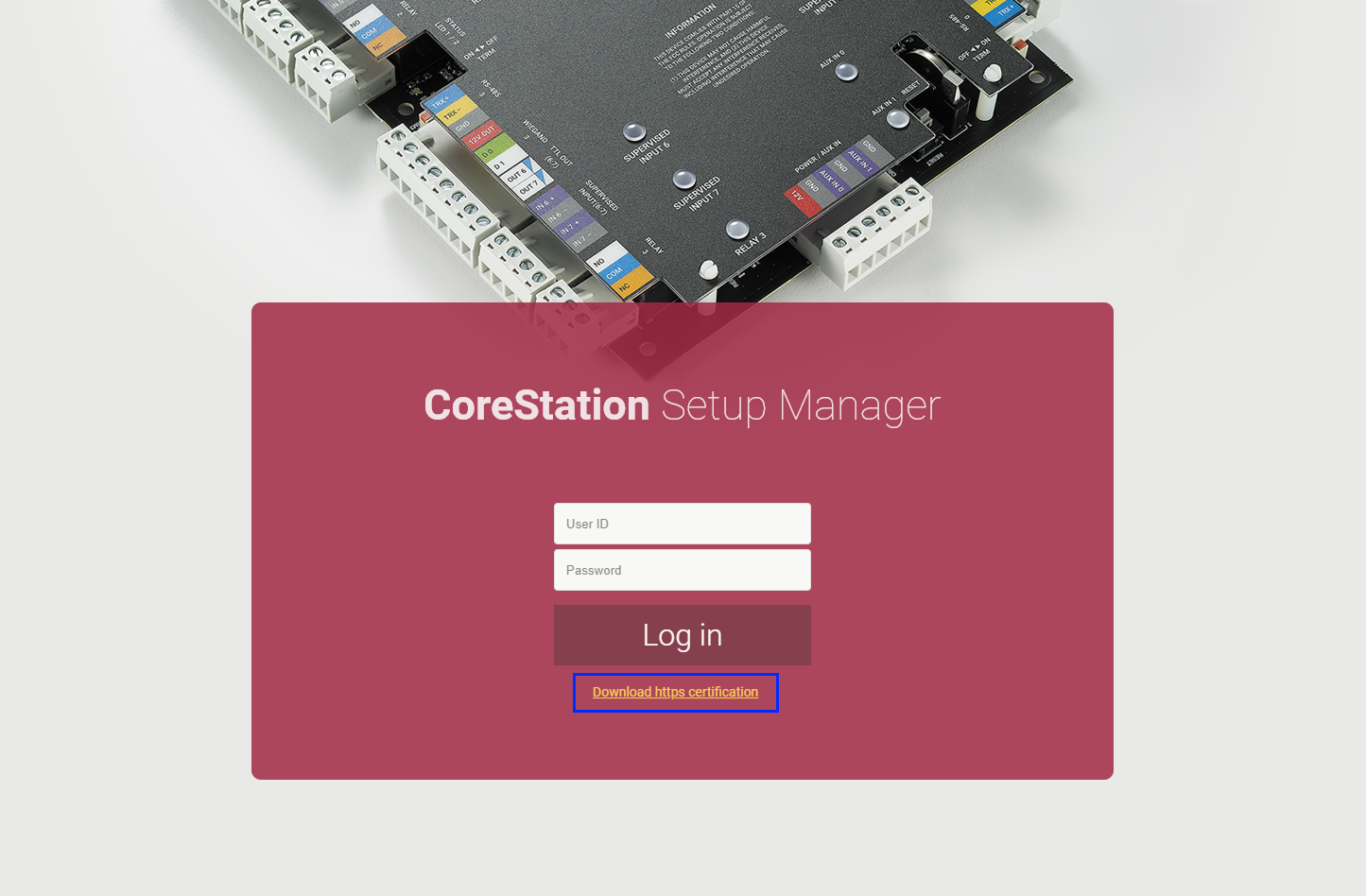
Click Download https certification on the login screen. When accessing CoreStation Setup Manager for the first time, you need to install the certificate to use HTTPS correctly.
-
Run the cs_client.crt file.
-
When the Open File - Security Warning window appears, click Open.
-
In the Certificate details window, click Install Certificate…. The Certificate Import Wizard will be launched.
-
Click Next to continue.
-
Select the certificate store and then click Next → Finish → OK.
-
Enter your user ID and login password. The user ID and login password for the first access are both 'admin'.
-
To register the administrator account, configure each item and click OK.
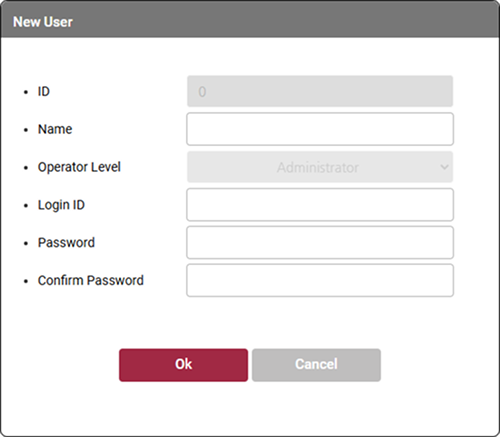
Name Feature description ID The ID is automatically set to 0 and cannot be changed. Name Enter the administrator's name.
- A name of up to 48 characters can be entered.Operator Level The Operator Level is automatically set to Administrator and cannot be changed. Login ID Enter the login ID.
- The login ID can be up to 32 characters long.Password Enter the login password.
- The login password should be a combination of alphanumeric characters and symbols, with a length of 7 to 32 characters.Confirm Password Re-enter the login password for confirmation. -
You will be redirected to the login screen. Log in with the registered administrator account.
-
The administrator account can only be set up when accessing CoreStation Setup Manager for the first time, and only one user can be designated. Once registration is complete, the default user ID and login password used during the first access can no longer be used. Additionally, the administrator account can review and edit all settings, including factory initialization.
-
Starting from CoreStation Setup Manager version 1.01, the name of the Level 1 administrator grade has been changed to Administrator, and Level 2 to Level 3 administrator accounts are no longer supported.