Last updated |
Settings
Guidance on how to set up the admin account and web server network settings.
Edit admin account
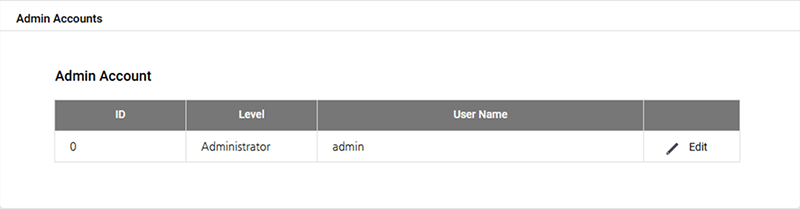
You can edit the admin account of the CoreStation Setup Manager.
-
Click SETTINGS.
-
Click Admin Account → Edit.
-
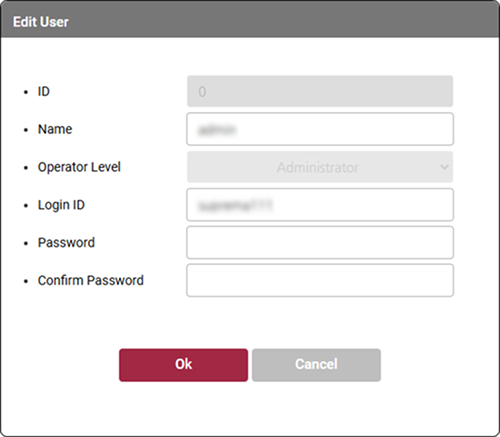
Refer to Initial Setup of the Device, edit each item, and then click OK.
-
Click Apply to save the settings.
Web server network
You can change the network information of the CoreStation Setup Manager.
-
Click SETTINGS.
-
Edit the necessary fields.
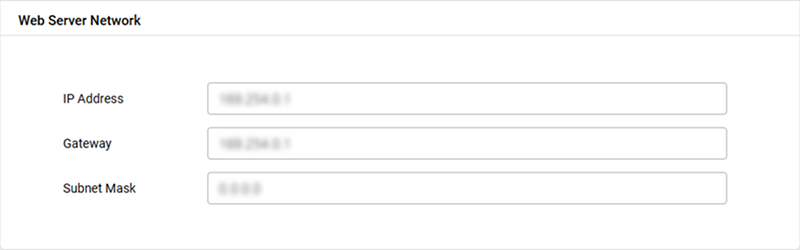
Name Feature description IP Address Edit the IP address of the CoreStation Setup Manager.
- Only static IP can be used. DHCP is not supported.Gateway Edit the gateway of the CoreStation Setup Manager. Subnet Mask Edit the subnet mask of the CoreStation Setup Manager. -
Click Apply to save the settings. The device will restart.