Initial Setup of the Device
Guidance on how to select a device and manage app settings.
Select device
Select the device to configure using Suprema Device Manager.
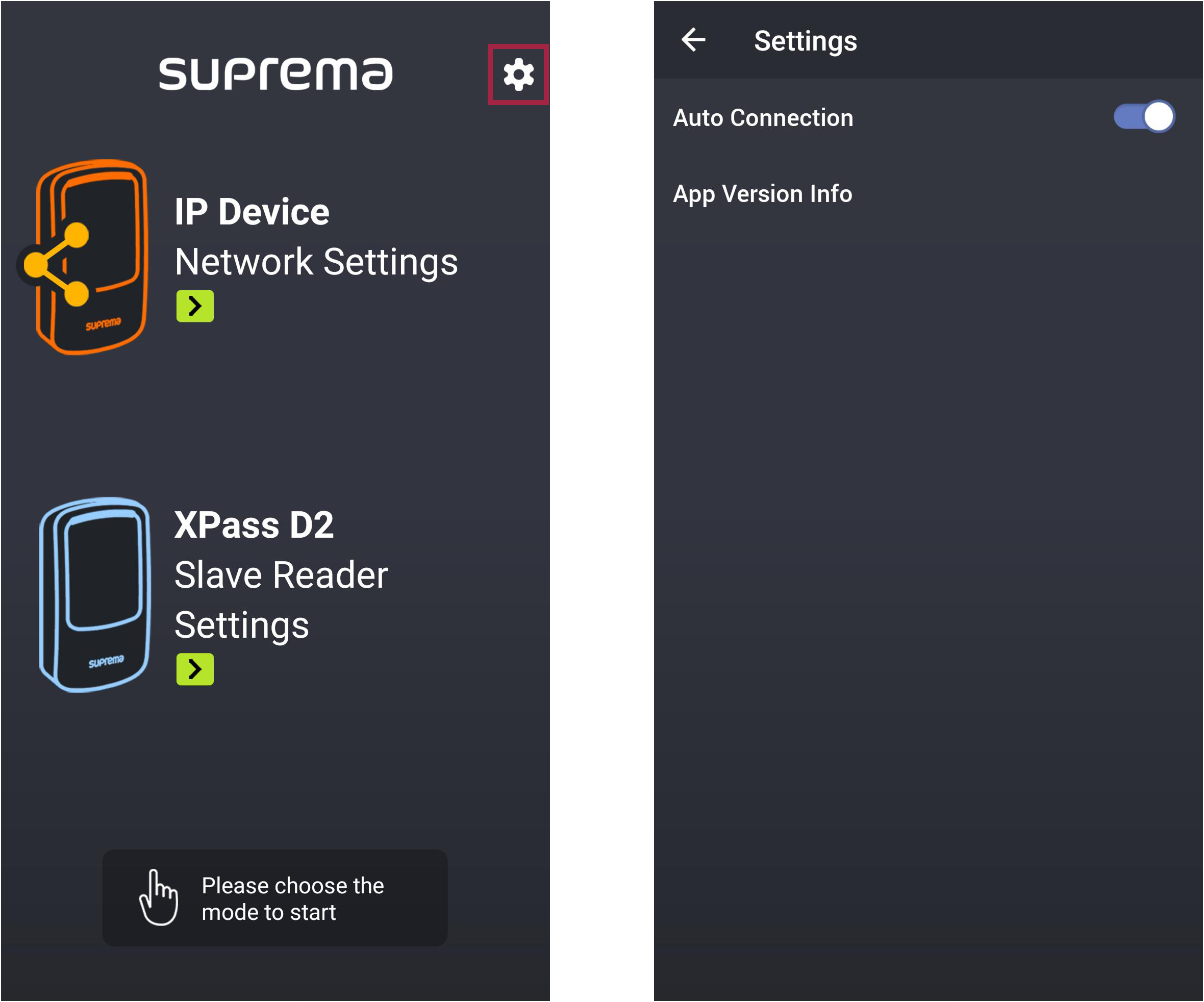
You can select an IP device or XPass D2, and the options available for configuration will vary depending on the selected device.
-
Install the Suprema Device Manager application on the mobile device of the device manager. Suprema Device Manager is available for download from the App Store and Play Store.
-
Run the Suprema Device Manager on your mobile device.
-
Select the device to configure.

Configuring app settings
You can configure the automatic device connection feature or check the app version information.
-
Run the Suprema Device Manager on your mobile device.
-
Select on the main screen.
-
Auto Connection: You can enable or disable the automatic device connection feature.
-
App Version Info: You can check the current app version and license information.
-