Installation
Provides the complete installation procedures and connection examples required for the device.
Install on BioStation 3
-
To install the expansion module on the product, an expansion bracket (sold separately) is required.
-
For purchasing the expansion bracket, please contact your Supremma product retailer.
-
Check the position on the expansion bracket for attaching the expansion module and secure the expansion module using fixing screws.
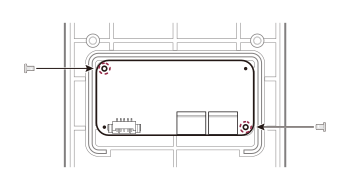
-
Connect the cable you wish to use to the expansion module and place it into the bottom slot to organize the cable.
As shown in the image, keep the MAIN USB cable inside and route the RS-232C and RS-485 cables out the back through the bottom slot.
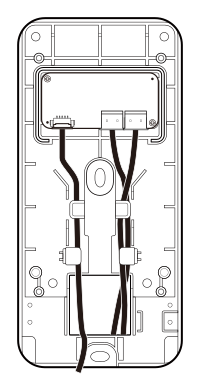 Info
InfoIf necessary, you can bend the indicated parts with cutters or pliers to expand the wiring space.
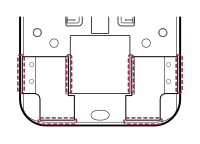
-
Install the silicone rubber cover to fit around the expansion module.
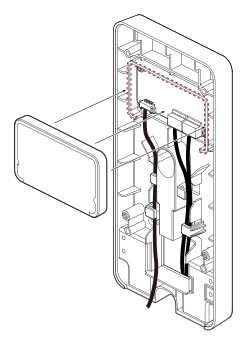 Info
InfoTo meet the IP65 rating, you must install the silicone rubber cover after connecting the cables.
-
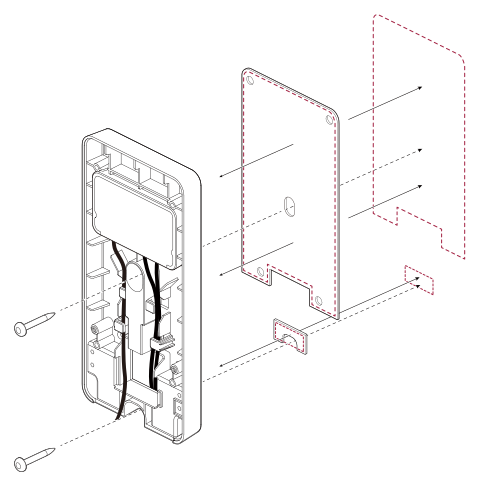
Attach the included double-sided tape to the back of the expansion bracket and secure it in place. Then, use fixing screws to firmly secure the expansion bracket.
 Info
Info-
The optimal height for installing device is 136 cm.
-
Do not install the device in a location directly exposed to sunlight or ultraviolet rays.
-
Adjust the installation position so that the face is not exposed to direct sunlight when a user tries to authenticate.
-
-
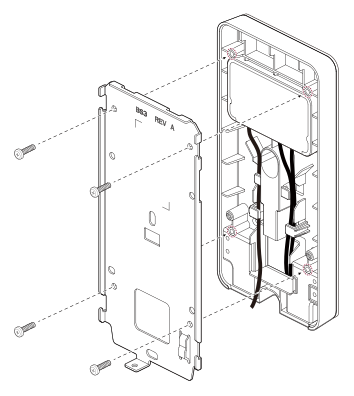
Secure the wall bracket using fixing screws on top of the expansion bracket.
-
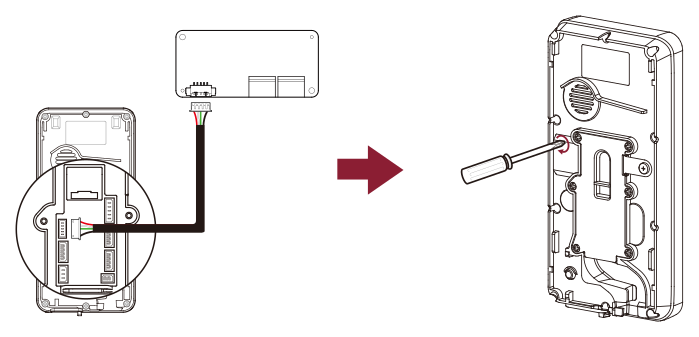
Connect the product and the MAIN USB cable, and assemble the cable cover.
 Info
InfoTo meet the IP65 waterproof and dustproof ratings, it is essential to use the cable cover after connecting the product and cables.
-
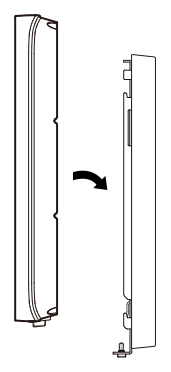
Mount the product on the secured wall bracket.
-
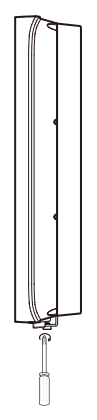
Tighten the product fixing screws to assemble the product and the wall bracket.
 Info
InfoWhen assembling the product with the bracket, you can use the included bracket fixing screw (Star Shaped) instead of the product fixing screw for enhanced security.
Install on BioStation 2a
-
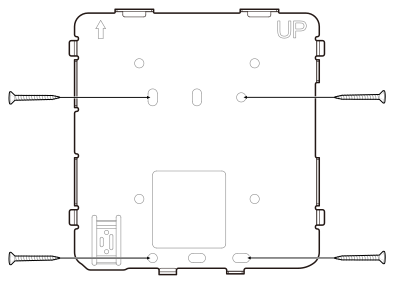
Use the provided drilling template to determine the mounting position for the wall bracket. Secure the wall bracket tightly using fixing screws at the location where the product will be mounted.
-
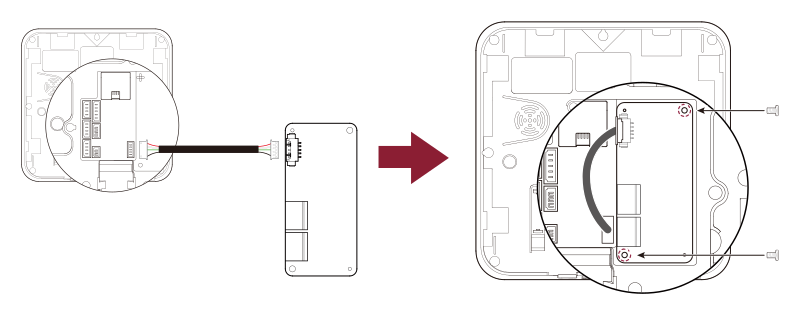
Connect the MAIN USB cable to the product and check the position for installing the expansion module before securing it with fixing screws.
-
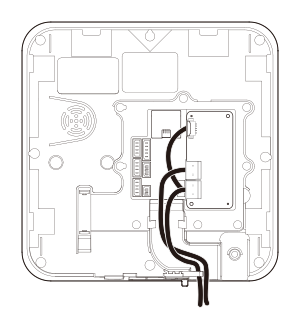
Connect the cable you wish to use to the expansion module and place it into the bottom slot to organize the cable.
-
After assembling the cable cover, mount the product on the secured wall bracket.
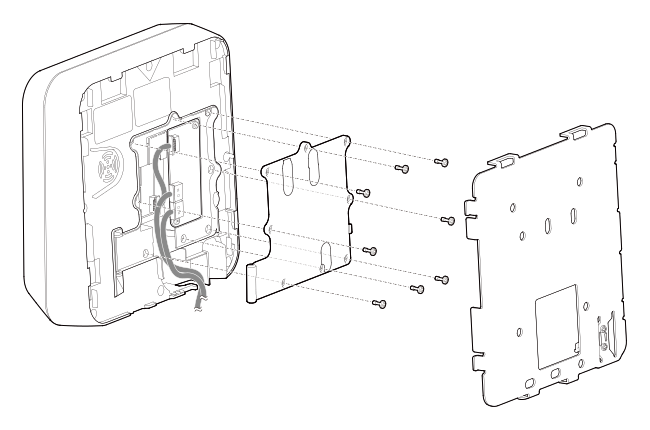 Info
InfoTo meet the IP65 waterproof and dustproof ratings, it is essential to use the cable cover after connecting the product and cables.
-
Tighten the product fixing screws to assemble the product and the wall bracket.
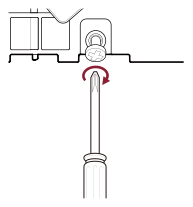 Info
InfoWhen assembling the product with the bracket, you can use the included bracket fixing screw (Star Shaped) instead of the product fixing screw for enhanced security.