Admin Menu
Provides guidance on the main menus and features accessible with administrator privileges.
Full menu
-
Press
 and authenticate with the Admin level credential.
On the menu screen, check the device information or press Enroll Wizard to enroll a user right away.
-
Select your desired menu.
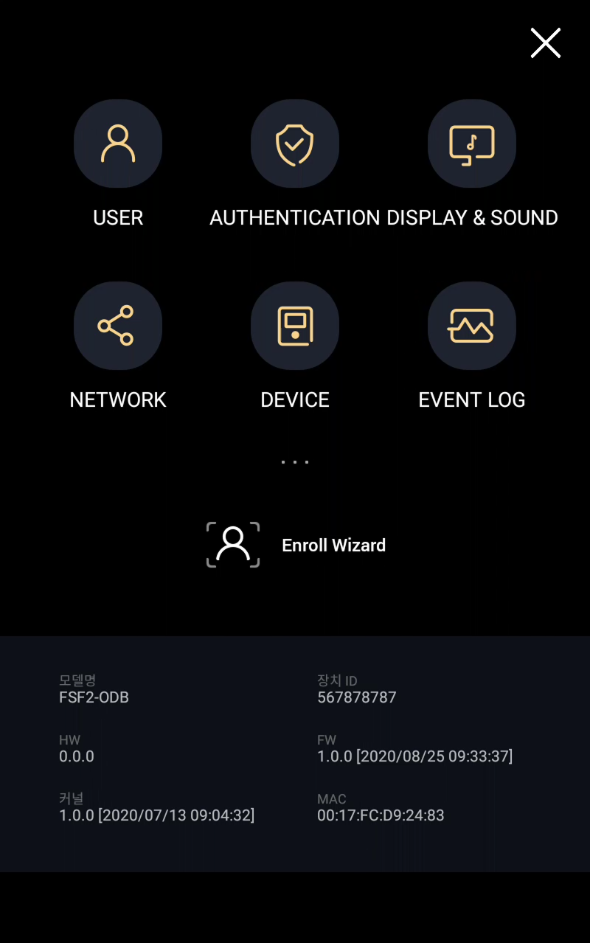
If no administrator is designated, click to display the menu screen.
Door Control
You can manually open, lock, or unlock the connected door.
-
You can control the door only when the device is configured as the master device.
-
Use Administrator or Configuration to control the door.
-
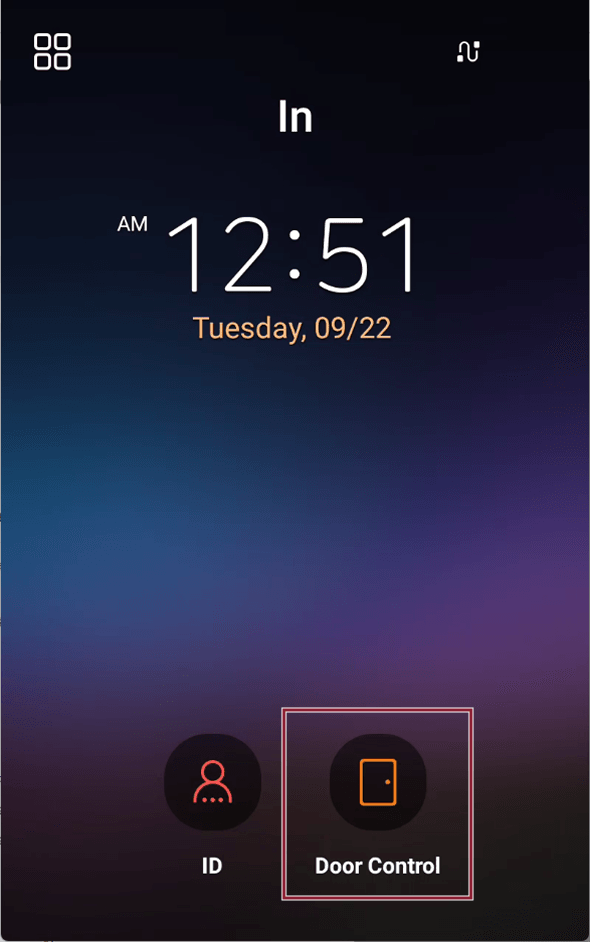
Select Door Control on the main screen.
-
Authenticate using administrator privilege method.
-
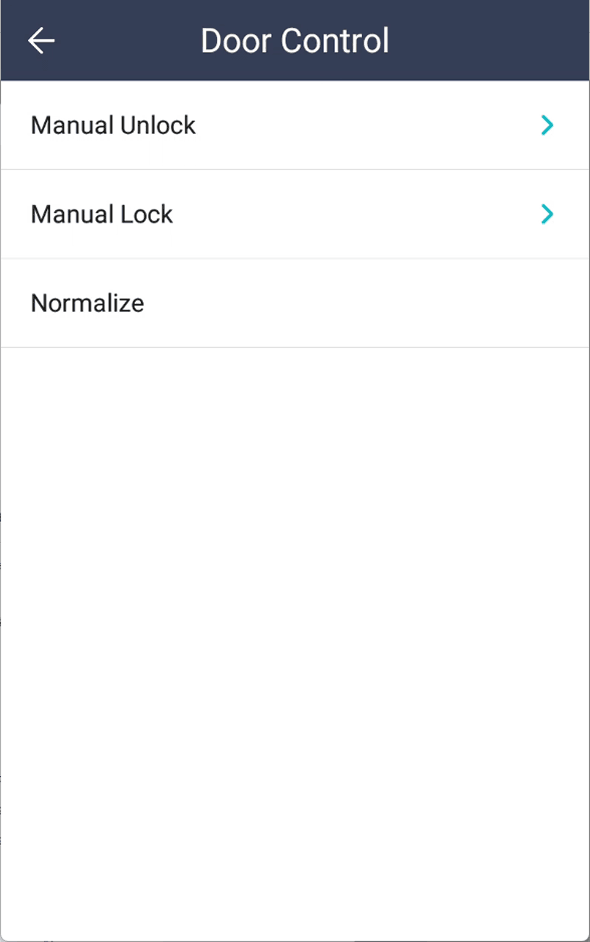
Choose the desired door control method.
-
Manual Unlock: Set the time for immediate door opening or to keep the door open.
-
Manual Lock: Set the time for immediate locking or to keep the door locked.
-
Normalize: Cancel manual opening or manual lock hold.
-
Set the manual open and manual lock-hold times from 1 to 86,400 seconds.