Site Selector
The Site Selector feature simplifies processes and reduces the need to log in multiple times by allowing management of multiple sites with a single email address.
What is Site Selector?
The Site Selector feature enables signing in to the BioStar Air portal with a single, unified email address even when managing multiple sites. There is no need to sign in with different email addresses for each site. Sign in once with a single email address, and then use the Site Selector menu to switch easily between the sites being managed.
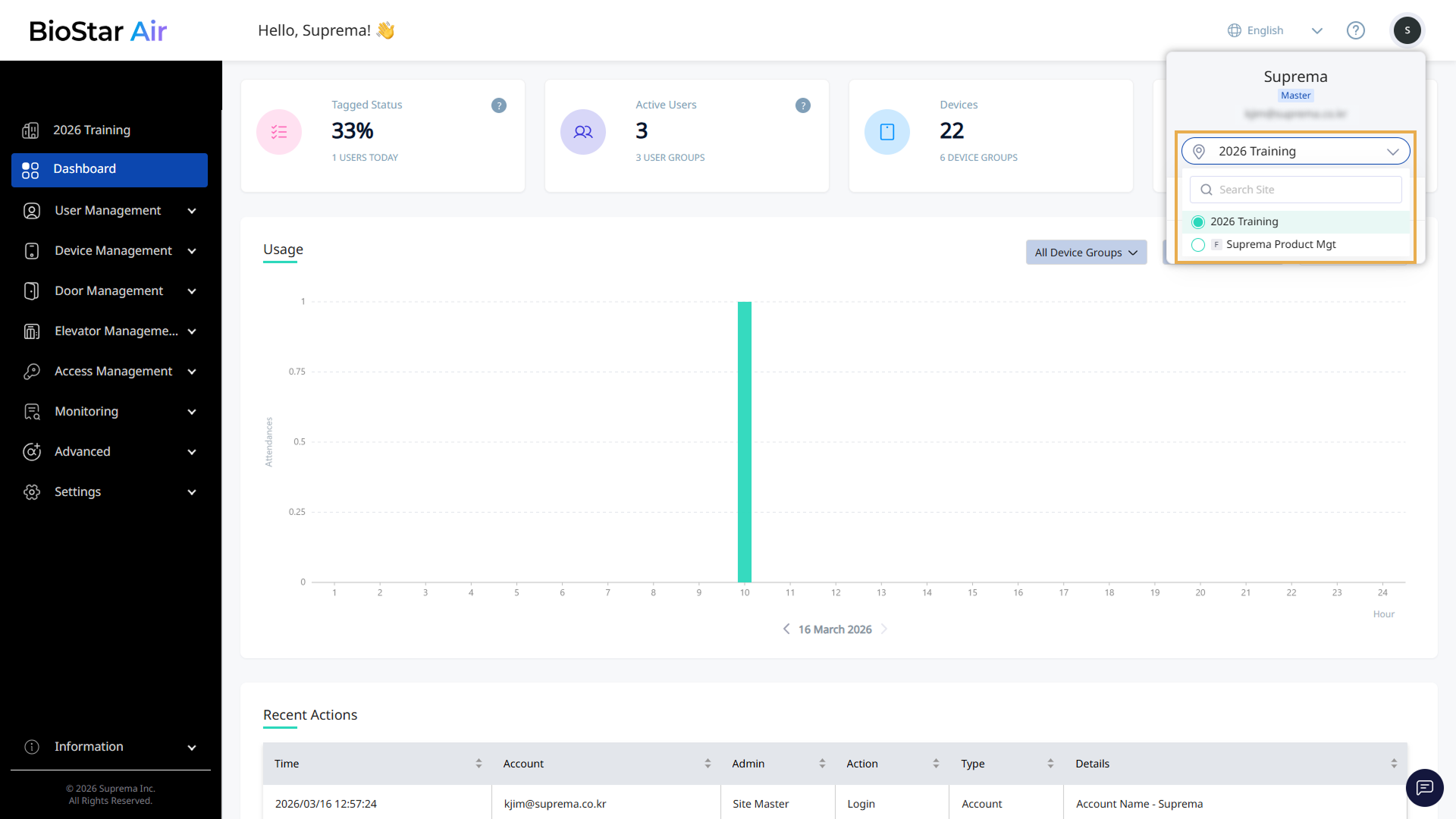
-
Even with a unified email, each site's permissions and settings remain independent. Administrator roles and access rights are managed separately for each site.
-
If the Site Selector feature does not appear or an incorrect site is shown, verify that the migration request is complete or contact the support team for further assistance.
-
By streamlining the sign-in process and consolidating multiple sites under one account, the Site Selector feature saves time and effort when managing several sites in BioStar Air.
-
Sites marked with an
Ficon are Federation Site in the site selection list. Federation Sites are displayed in the upper-left corner of the screen. For more information on Federation Site, see Manage Federated Sites.
Create a new site
When creating a new site through the Partner Portal, use an email address that is already registered as an administrator account for another site. The system automatically links the new site to the existing email, allowing management of multiple sites with a single account.
-
Create a new site via the Partner Portal.
-
When prompted for the administrator email, enter the email address that is already linked to another site.
-
The new site is automatically linked to the existing account.
For detailed information on signing up for and using the Partner Portal, see Use the Partner Portal.
Using one email across multiple sites
If multiple sites are already managed but each uses separate sign-in credentials, request a manual migration from Suprema. This process consolidates the email addresses, enabling management of all sites with a single sign-in.
-
Contact the support team and request a manual migration for the sites.
-
If alias addresses such as bob+site1@example.com and bob+site2@example.com are used, provide the root email address (bob@example.com).
-
If completely unique email addresses are used for each site, provide the full list of email addresses.
-
Once migration is complete, access all sites with a single email address through the Site Selector feature.
Using the Site Selector
If your email address is associated with multiple sites, signing in and switching between them is easy.
-
Enter your email address and password.
-
If you manage multiple sites, use the Select Site window to quickly find the site you want. Selecting a site takes you to the dashboard.
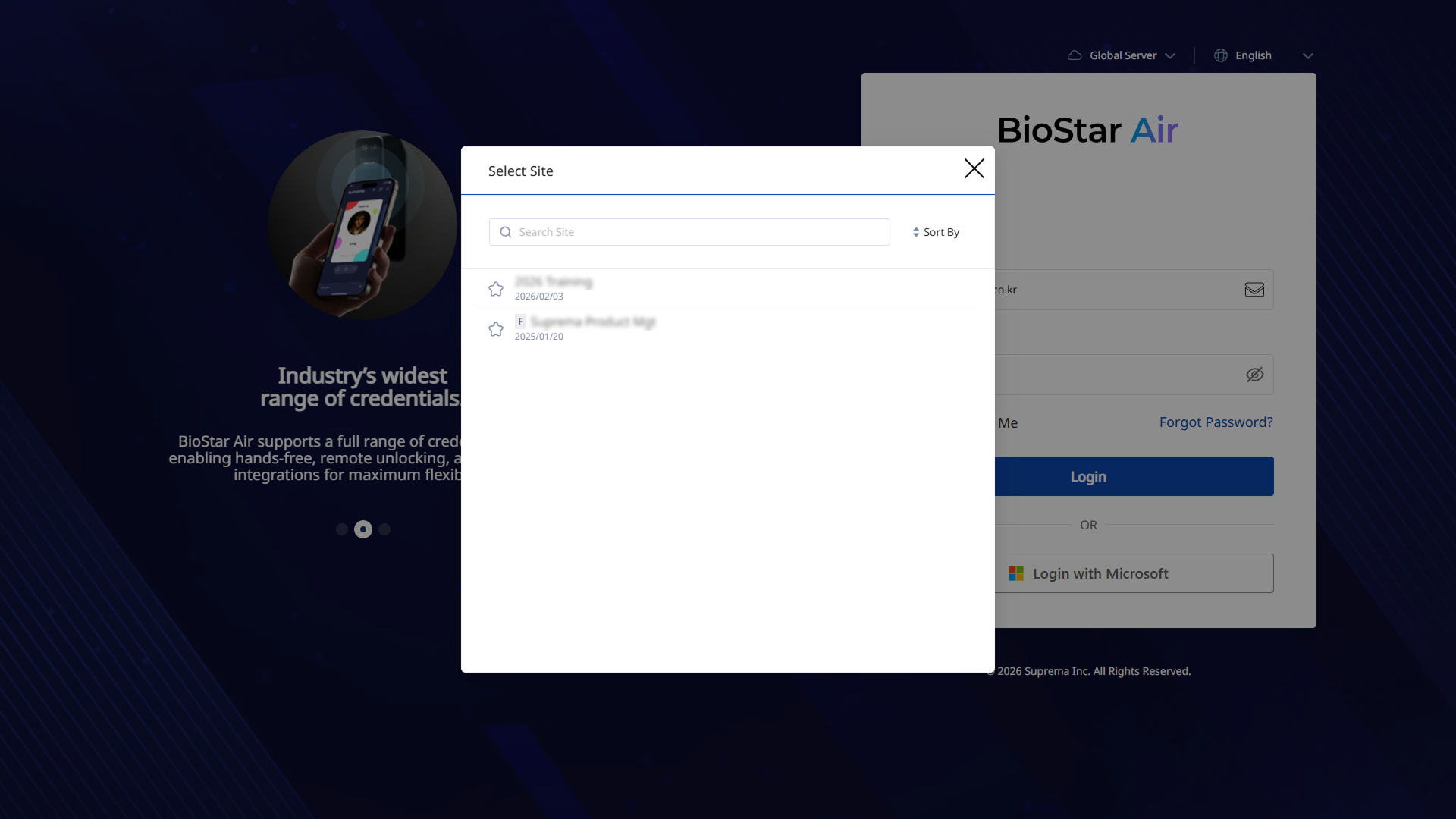
-
After signing in, click the profile icon in the top right corner of the screen.
-
When the pop-up menu appears, click the Site selector option below your email address.
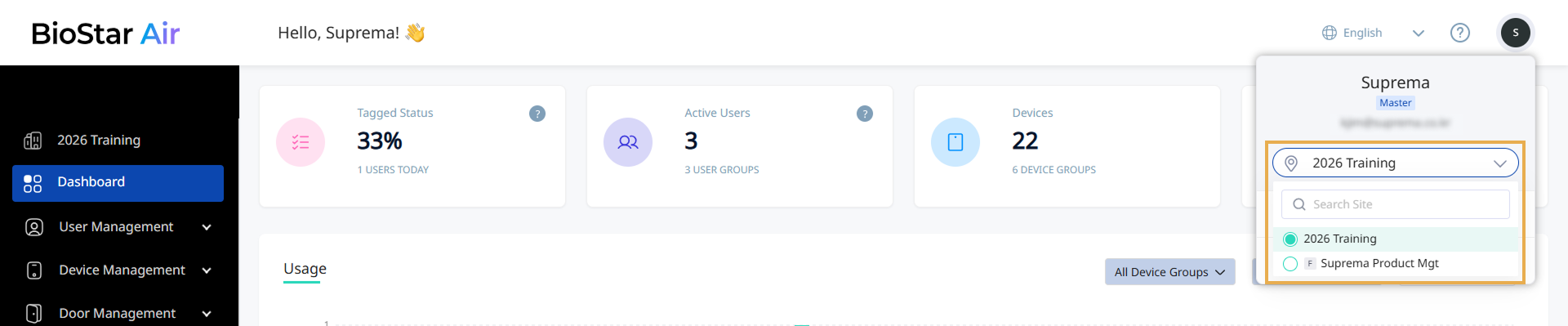
You can view a list of all sites associated with the email address.