Service Settings
In the Service Settings menu of BioStar X Service Manager, you can configure and manage the core services of the system. Each service is configured independently, and you can check network ports and version information.
Service Settings consists of the following major services.
-
BioStar X Core Web Service: Web interface service
-
BioStar X Core Service: Core system functionalities and API communication service
-
Unified Gateway Service: Reverse proxy-based integrated gateway service
-
BioStar X Coordinator Service: Management of distributed system configuration information and service synchronization
-
BioStar X Server (Main): Main server service
-
BioStar X Cache Service: Data caching and enhanced system performance
Situations that require changing settings
You may need to change the service settings in the following situations.
-
Resolving port conflicts: When another application uses the same port and causes conflicts
-
Compliance with security policies: When only specific ports are allowed according to the organization's network security policy
-
Firewall settings: When you need to change to ports allowed by your corporate firewall
-
Server environment changes: When changing the server IP address or network configuration
-
Performance optimization: When separation of ports is needed for traffic distribution or load balancing
How to change settings
-
Click the SERVICE SETTINGS menu in BioStar X Service Manager.
-
Go to the section of the service you want to change.
-
Modify the required port number or address.
-
To apply changes, click Apply in the upper right corner of the screen.
-
Restart the related service to apply the changes after changing the service setting.
-
Support for changing the port may vary depending on certain services.
When changing port numbers, make sure there are no conflicts with other services or applications.
Service composition
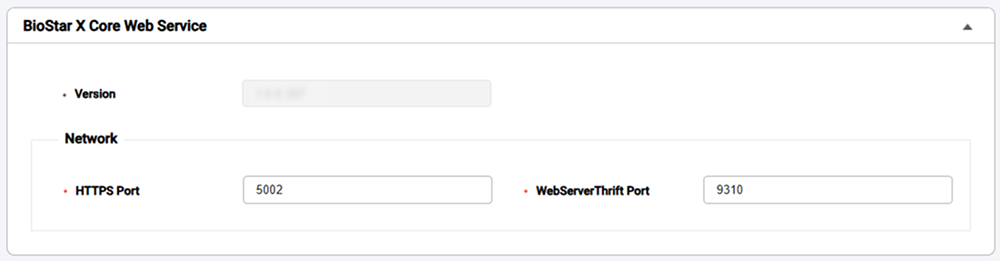
BioStar X Core Web Service
This service is responsible for the web-based user interface.
-
HTTPS Port: Web interface access port (default: 5002)
-
WebServerThrift Port: Web server communication port based on the Thrift protocol (default: 9310)
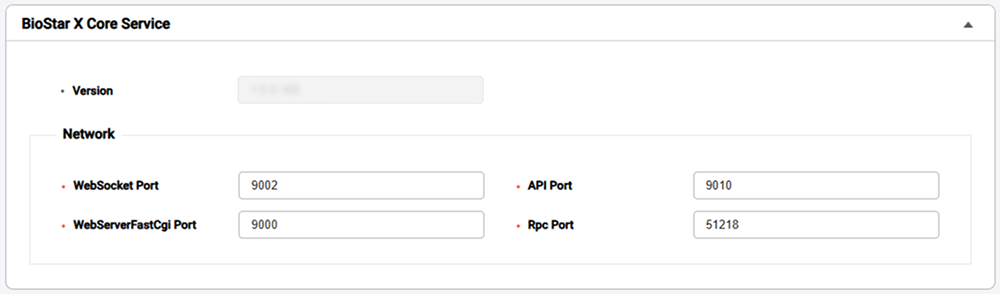
BioStar X Core Service
This is the main service that handles core functionalities of the system and external API communications.
-
WebSocket Port: WebSocket port for real-time bidirectional communication (default: 9002)
-
API Port: REST API communication port (default: 9010)
-
WebServerFastCgi Port: Web server communication port based on FastCGI protocol (default: 9000)
-
Rpc Port: Remote Procedure Call (RPC) communication port (default: 51218)
Unified Gateway Service
Efficiently process requests to the BioStar X server through reverse proxy, improve the security vulnerabilities of iframes, and minimize SSL certificate errors.
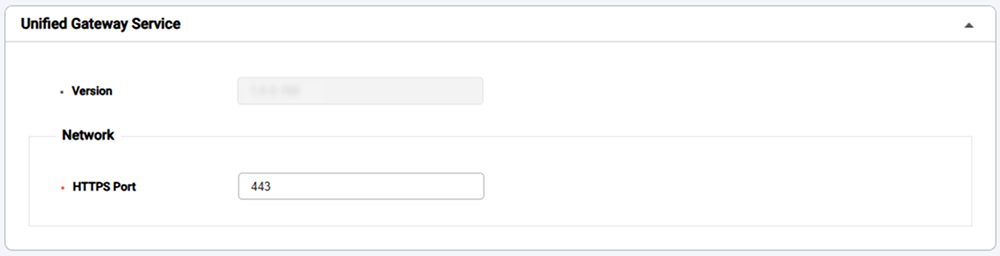
- HTTPS Port: Integrated gateway HTTPS communication port (default: 443)
BioStar X Coordinator Service
This service is responsible for managing configuration information of the distributed system, monitoring service status, and synchronizing services.
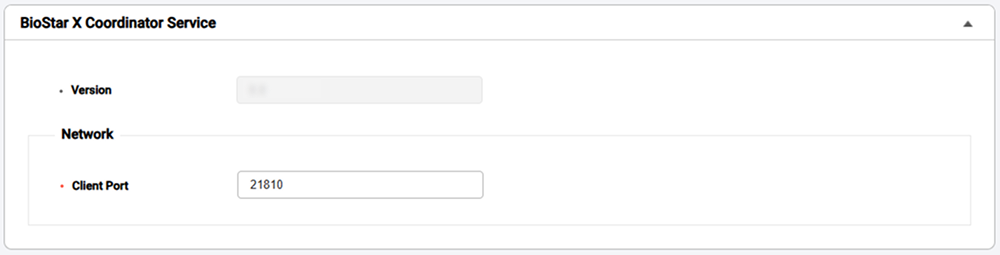
- Client Port: Communication port for client connections (default: 21810)
-
Change the value of Client Port, then manually restart the BioStar X Coordinator Service in Windows Services(services.msc).
-
After restarting the BioStar X Coordinator Service, go to BioStar X Service Manager → SERVICES and restart all services.
Click Stop All in the top right corner of the screen. After all services are stopped, when the Start All button is enabled, click the button.
BioStar X Server (Main)
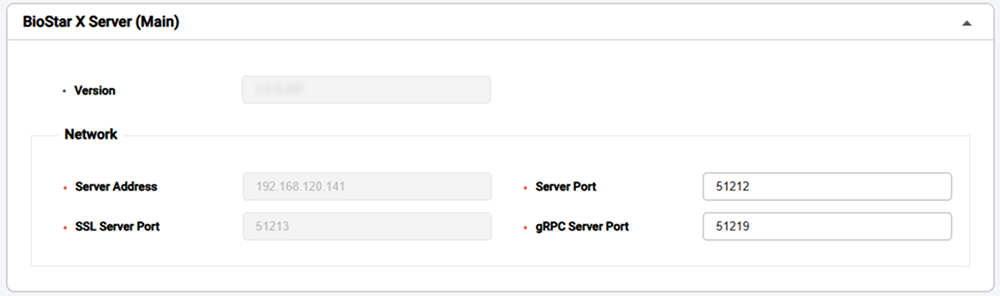
This is the core service that serves as the main server of the system.
-
Server Address: IP address of the main server
-
Server Port: General server communication port (default: 51212)
-
SSL Server Port: SSL secure encrypted communication port (default: 51213)
-
gRPC Server Port: High-performance communication port based on gRPC protocol (default: 51219)
BioStar X Cache Service
This service improves the system's data processing speed and performance by storing frequently used data in memory.

-
Client Port: Cache service client connection port (default: 10800)
-
Communication Port: Internal communication port between cache nodes (default: 47500)
-
Discovery Port: Port for automatic discovery of distributed cache nodes (default: 47100)