Last updated |
Manage Checked-Out Visitors
View checked-out visitors and use their visit request information to register another visit.
-
On the Launcher page, click Visitor.
-
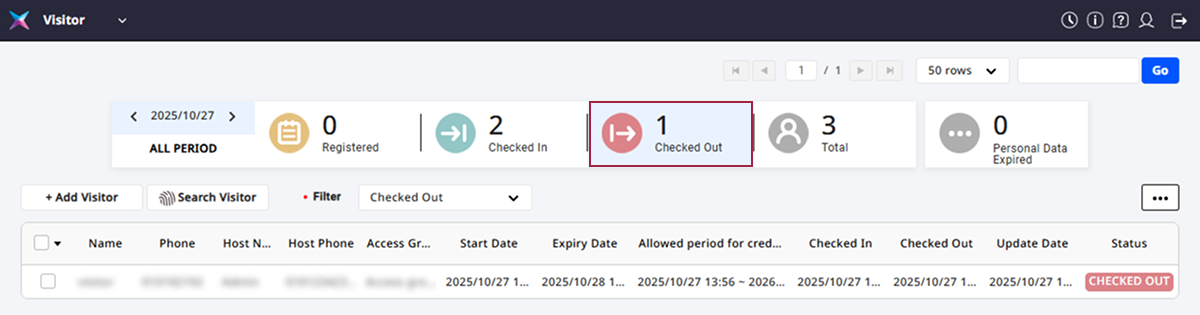
Click the Check out tab at the top of the screen.
-
To register a visitor again, click the visitor in the visitor list.
-
Click Edit in the lower-right corner of the screen.
-
If there are items that need correction, modify the individual items and then click Enroll.
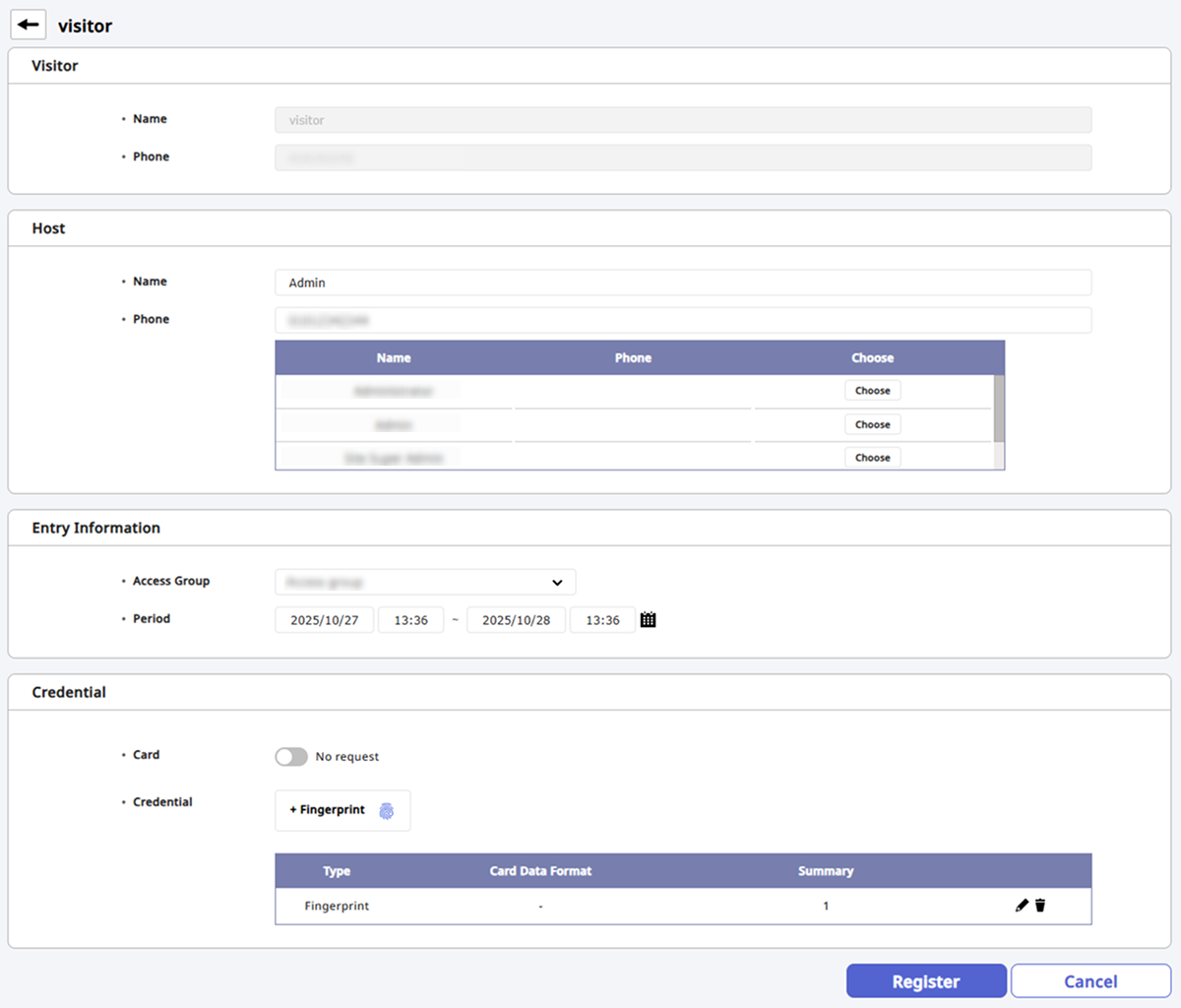
The re-registered visitor is added to the visit request list. To check, click the Register tab at the top of the screen.