BioStar X Mobile
Use the BioStar X mobile app to manage the BioStar X access control system from a mobile device. Perform tasks such as user registration, remote door control, real-time event monitoring, and alert handling.
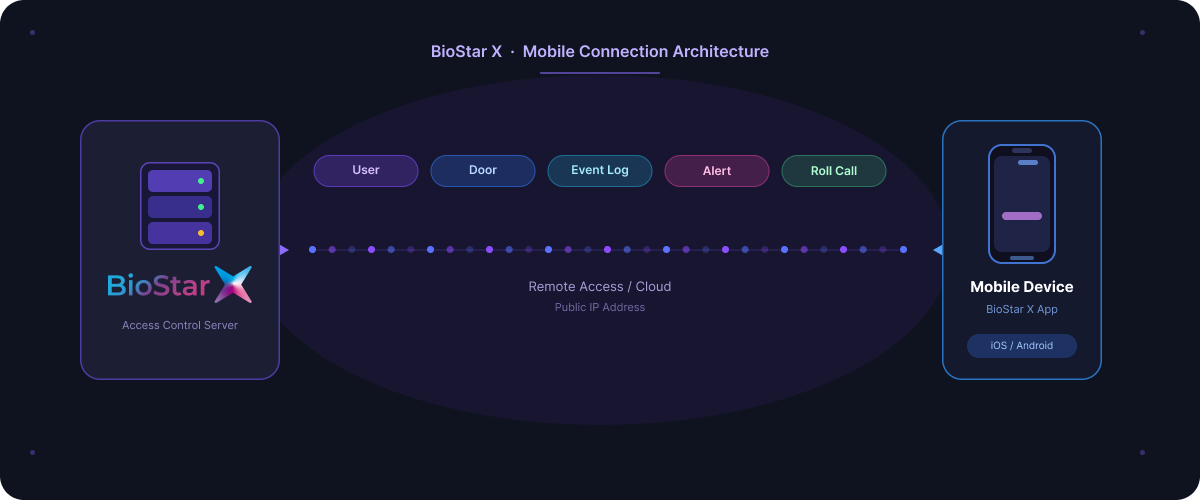
Key features
User Management
-
Add, delete, and edit user information
-
Credential management: PIN, Fingerprint, IR Face, Face, Card (CSN, Wiegand, Smart Card: SCC, AoC)
Door Control
-
Lock, unlock, open, and release doors remotely
-
Release anti-passback (APB) and reset door alerts
Real-time monitoring
- Check real-time access event logs for ongoing management
Manage alerts
-
Handle door, device, and advanced access control alerts
-
Manage alerts efficiently with separate lists for new and acknowledged events
Manage access control on the go
Use the BioStar X mobile app to perform the following tasks on the go:
-
Manage users and add credentials
-
Real-time event monitoring
-
Respond quickly to alerts
-
Door notifications: open request, forced open, hold open
-
Device notifications: tamper, reboot, RS485 disconnection
-
Area alerts: anti-passback, fire, and more
Privacy protection
Suprema does not collect, store, or process any personal data through the BioStar X mobile app. All user-related data, including facial images and credentials, are sent directly to the customer’s internal system and are not sent to Suprema servers.