Change Account Password
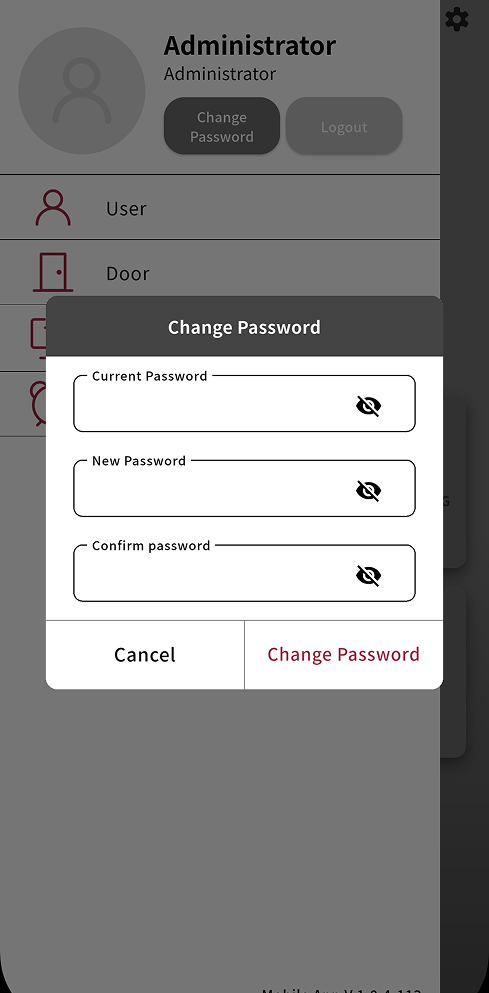
You can change your account password in the BioStar X mobile app. Change your account password regularly to enhance account security.
-
On the app home screen, tap in the upper-left corner.
-
Tap Change Password in the side menu.
-
Enter the current password in the Current Password field.
-
Enter the new password in the New Password and Confirm password fields, in that order.
-
Tap Change Password to complete the password change.