Remote Control of Doors
In the door list, check each door's status in real time and control it as needed. During normal operation, manage doors with basic control features. Use additional control options for stronger security or emergencies.
Tap DOOR on the app home screen. The list of doors registered in BioStar X appears.
You can also access it through the side menu. Tap → Door.
Check door status
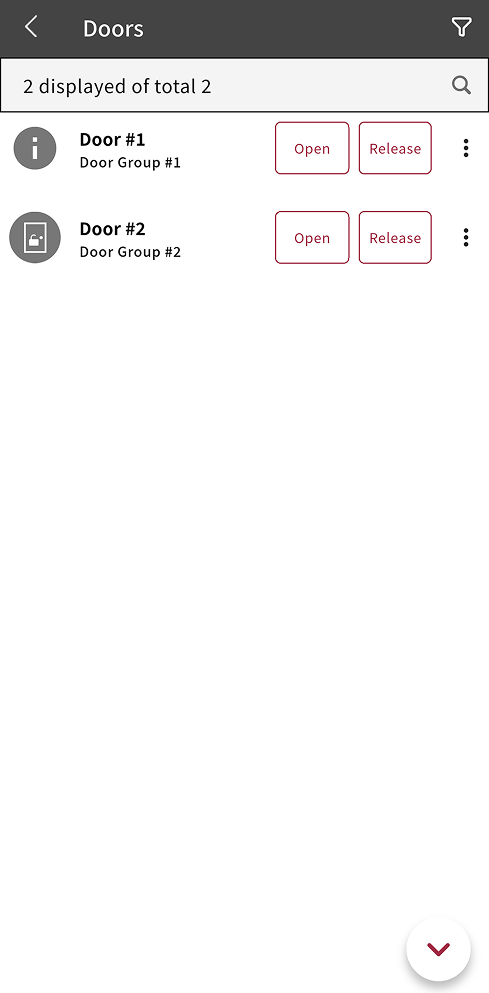
In the door list, the status icon lets you see abnormal conditions for the device assigned to each door at a glance. The door status icon indicates whether the door is open, closed, or has an alarm.
| Status Icon | Description |
|---|---|
 | The door has a problem. Abnormal status: The system lost connection to the door’s assigned device, or a Multi Communications Server or synchronization error occurred. |
 | The door is open. |
 | The door is closed. |
 | An alarm has occurred at the door. |
 | An APB alarm has occurred at the door. |
Open/Lock door
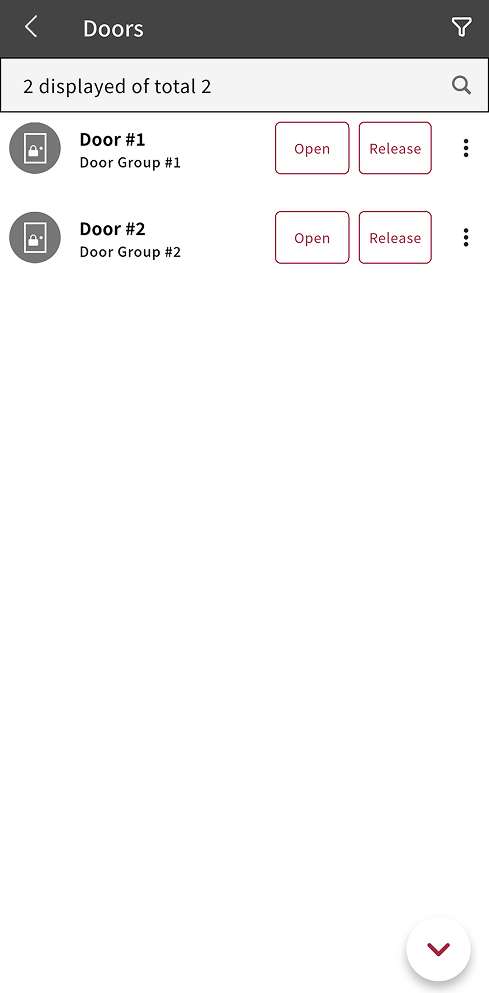
The remote door control feature lets you open or lock door to allow or block access.
-
Open: Temporarily opens the door to allow access. The door closes automatically after the set time.
-
Release: Sets the door to allow access only for authenticated users. The door status changes according to the schedule set for the door.
For more information on how to temporarily open a door and set the auto-close time, see Open → Open Time in Register Door.
Additional control
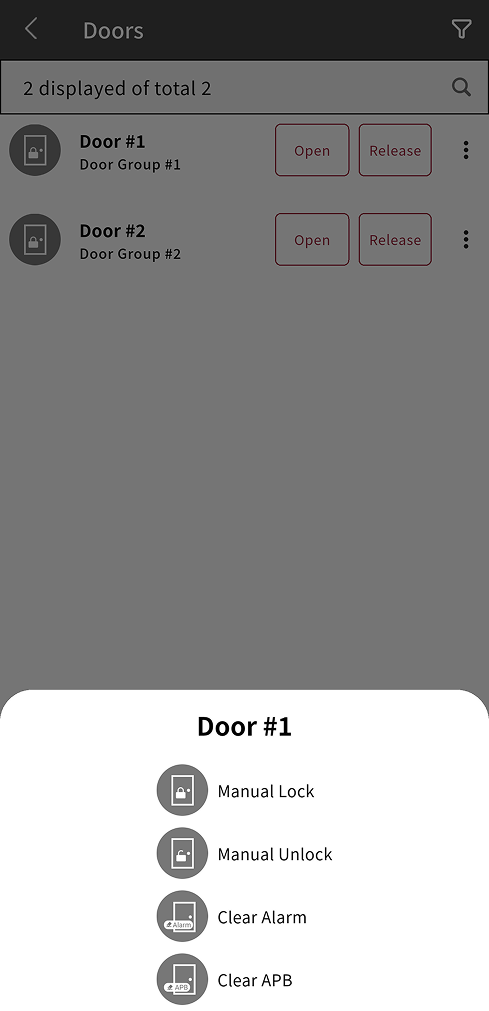
When stronger security is needed or access must be controlled for a long period, manually lock or unlock the door without a time limit. You can also clear the triggered alarm.
Tap at the far right of the door to use additional control options.
-
Manual Lock: Manually locks the door to block access. This feature locks the door without a time limit. In this state, access is blocked for all users.
-
Manual Unlock: Manually unlocks the door to allow access. This feature unlocks the door without a time limit. In this state, access is allowed for all users.
-
Clear Alarm: Clear the alarm that occurred at the door.
-
Clear APB: Clear APB status for all users at the selected door.
After you manually lock or unlock a door, the door status does not change automatically. For security, use Release to make the door operate according to the set schedule.