Use Quick Actions
Quick Action is a feature that automates complex control procedures during emergencies. Execute the actions of multiple predefined devices instantly with a single button to respond quickly.
-
For more information on the Quick Action feature, see How to Use the Quick Action.
-
In the mobile app, you can run the Quick Action feature or view detailed information about Quick Action entries. To create or edit a Quick Action item, log in to the BioStar X web interface and configure it.
Run a Quick Action
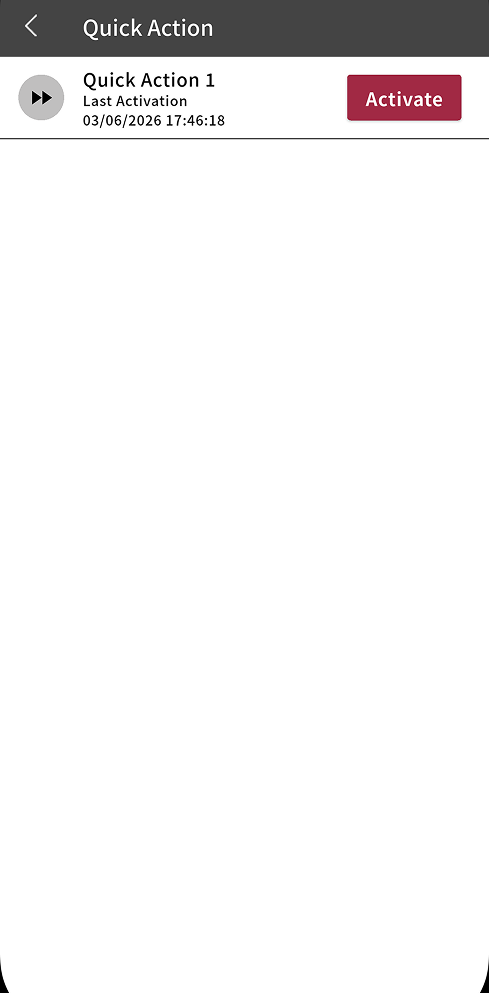
You must create Quick Actions in the BioStar X web interface before using them in the mobile app.
-
Tap QUICK ACTION on the app home screen.
-
In the Quick Action list, tap the Activate button for the Quick Action entry you want to run.
When Quick Action runs successfully, a success message appears.
-
Depending on the Quick Action setting, a pop-up may appear asking whether to run it.
-
Each Quick Action entry shows the most recent activation date and time.
Quick Action details
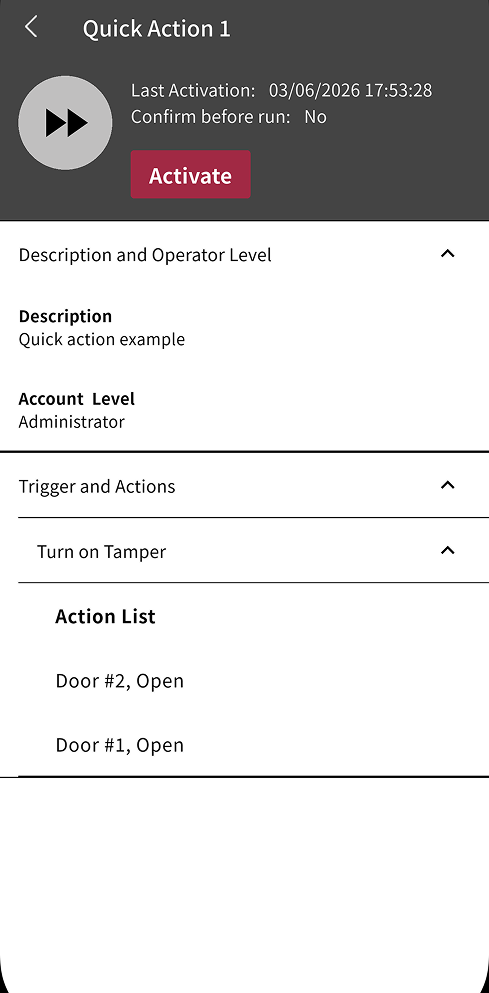
To view detailed information configured for a Quick Action entry, tap the entry in the Quick Action list.
-
Last Activation: The date and time when the Quick Action was last run.
-
Confirm before run: Indicates whether a pop-up appears asking whether to run the Quick Action.
-
Activate: The button that runs the Quick Action.
-
Description and Operator Level: The Quick Action description and the administrator level required to run it.
-
Trigger and Actions: The doors controlled when the Quick Action runs and the actions applied to those doors.
For more information on trigger conditions and actions, see Trigger and Action Settings.