Service Settings
Set the access service method for each place group. The service type and credential set for a place group apply automatically to all child places, so you do not need to set them separately for each place.
CLUe supports two access service methods.
-
Vendor: A method that requests access approval from a client through an external API.
-
Membership: A method in which CLUe controls access independently without external integration.
Click Service in the left sidebar of Place group settings.
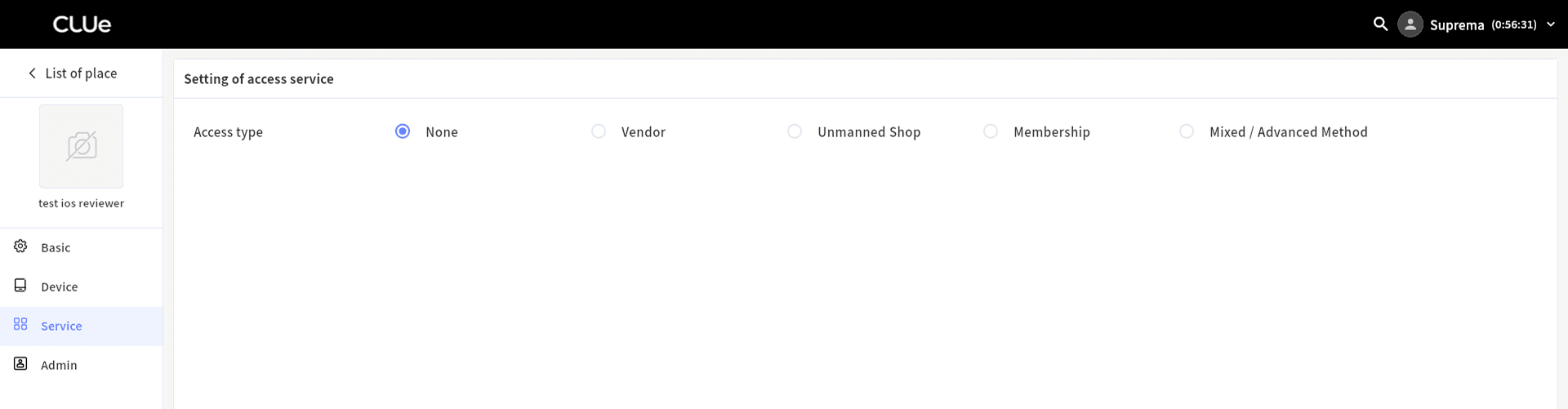
Vendor setting
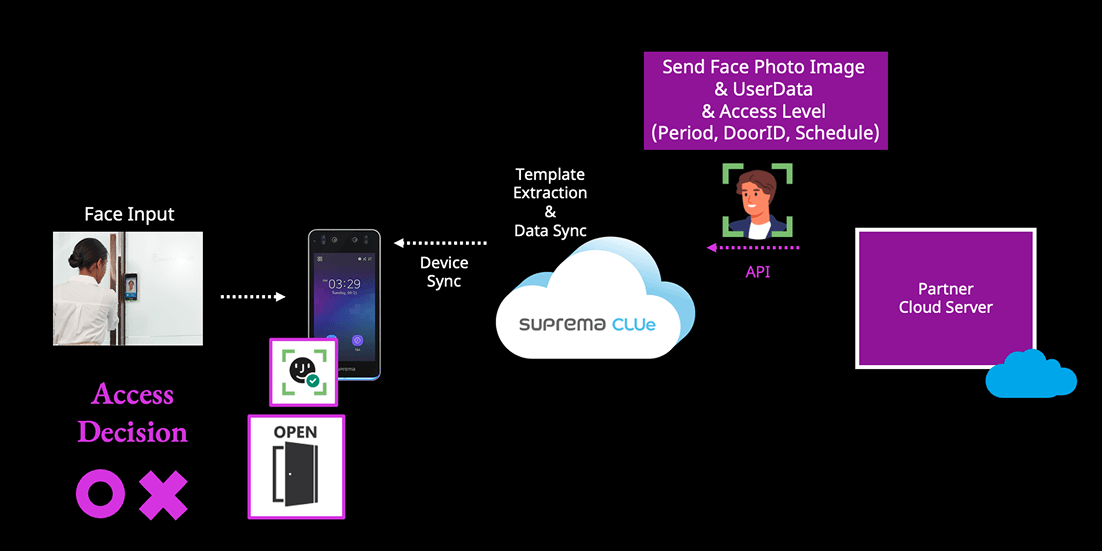
The Vendor method calls an external client API before the door opens to decide whether to allow access. It supports QR codes and Facial Authentication.
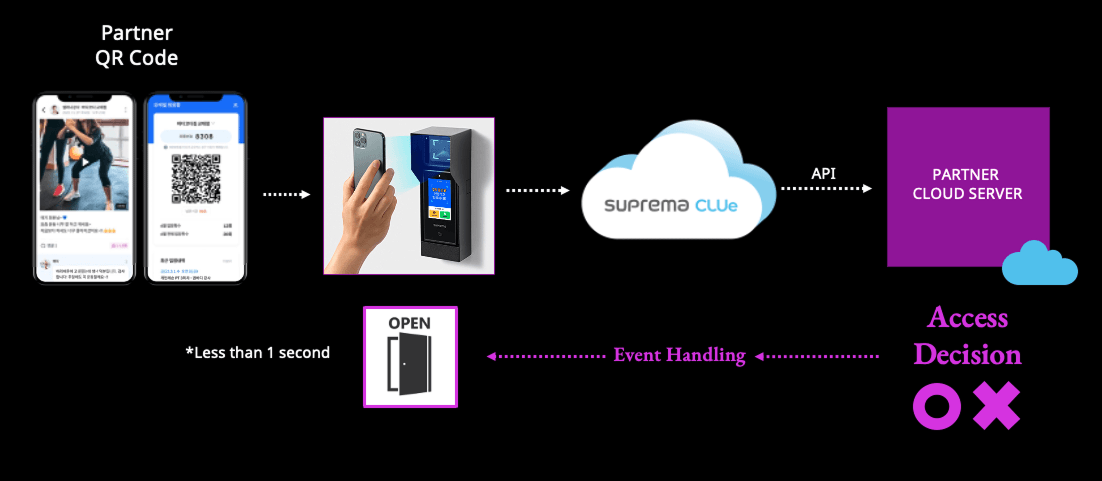
QR case
When you scan a QR code, the CLUe server calls the client API and gets the access decision directly. Select one of the following two methods based on the QR code type you use.
-
CLUe QR: A dynamic QR code issued directly by CLUe.
-
Customer QR: Select this when the customer generates and operates QR codes independently.
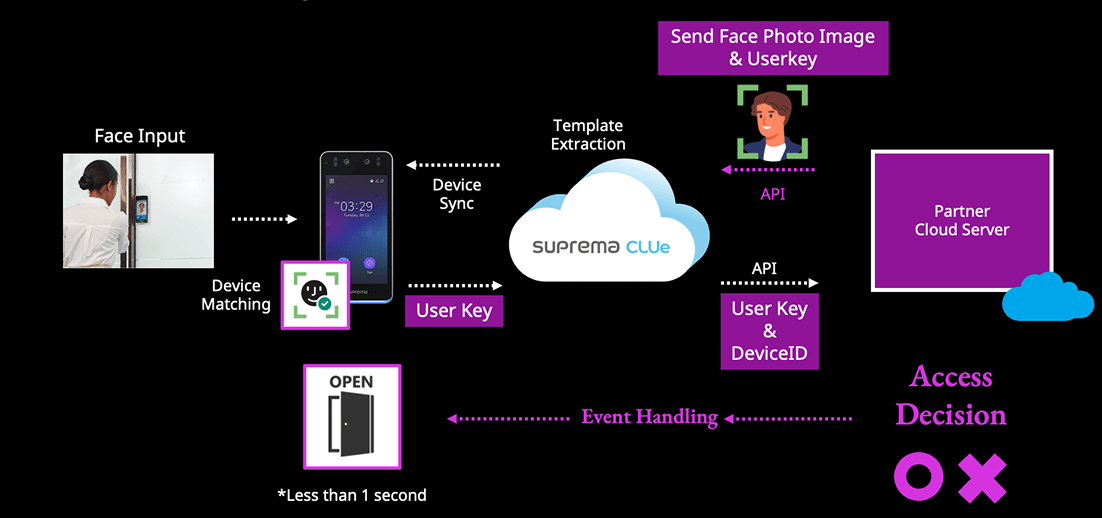
Facial authentication case
If you use Facial Authentication, register only the image. The CLUe server extracts the template and syncs it with the device. If face matching succeeds, CLUe decides whether to allow access through the client API, just like the QR method. See CLUe API documentation for how to enroll a face user.
Customer verification code setting
To use the Vendor method, enter the customer verification code together with where and how the CLUe server calls the customer or partner API.
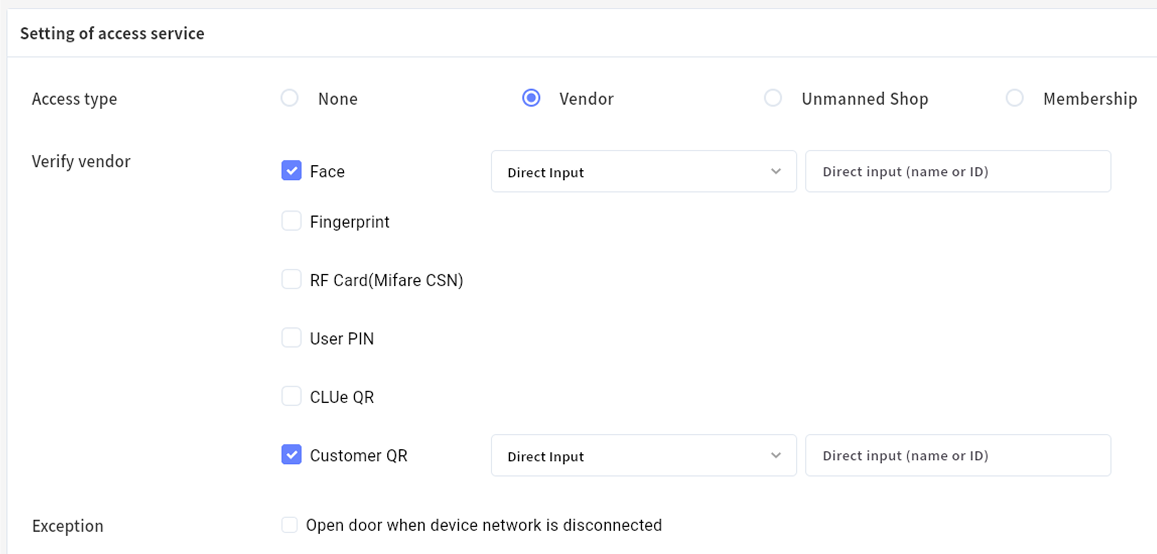
The Vendor code is a code format that the Suprema CLUe team pretests and develops to decide which client's API to call. After you enter this code, the system automatically calls the API for each authentication method in child places without additional settings, and controls access based on the specified response values.
How to get a customer verification code
The CLUe team manages it separately so other clients' codes do not get exposed. Customer verification code generation is handled separately after API specification review. Contact the CLUe team directly for details.
Membership setting
The Membership method lets the CLUe system decide access control independently, without intervention from an external client or third party. This also applies when you operate CLUe only through a web portal or mobile app.
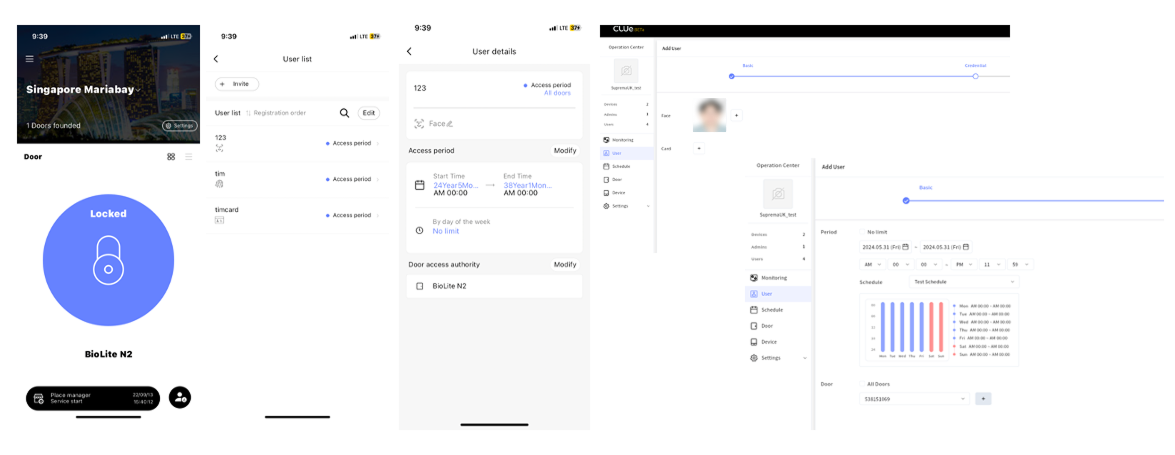
With the Membership setting, you can select the credential that applies to child places.
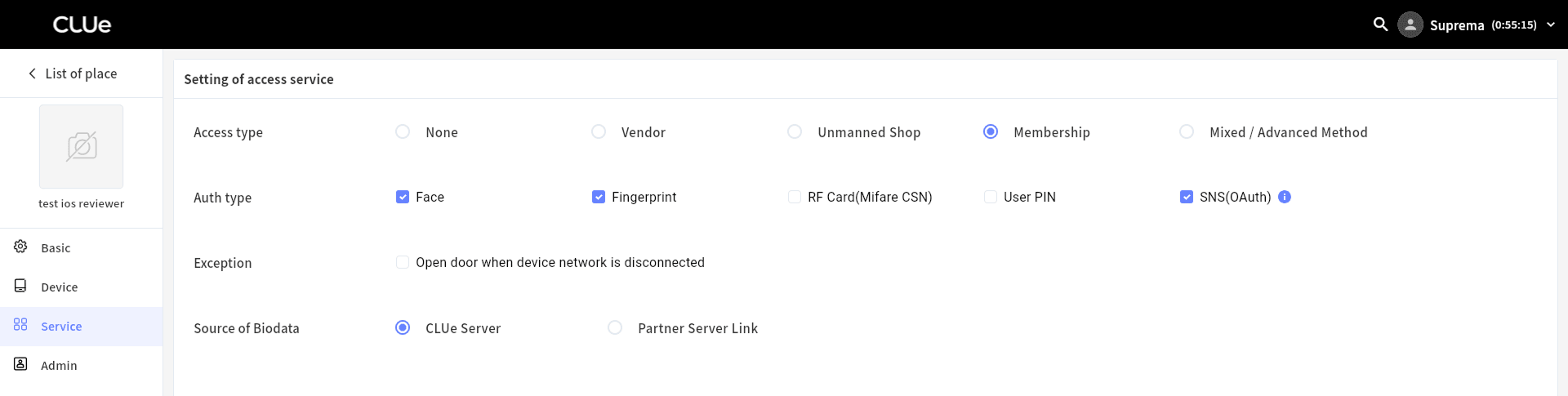
Can I change the place setting differently from the place group?
Yes, you can configure the authentication method on the place settings page. However, you cannot change the access method from Membership to Vendor, or vice versa. So if clients in the same place group need different access methods, we recommend creating separate place groups for each use case.